
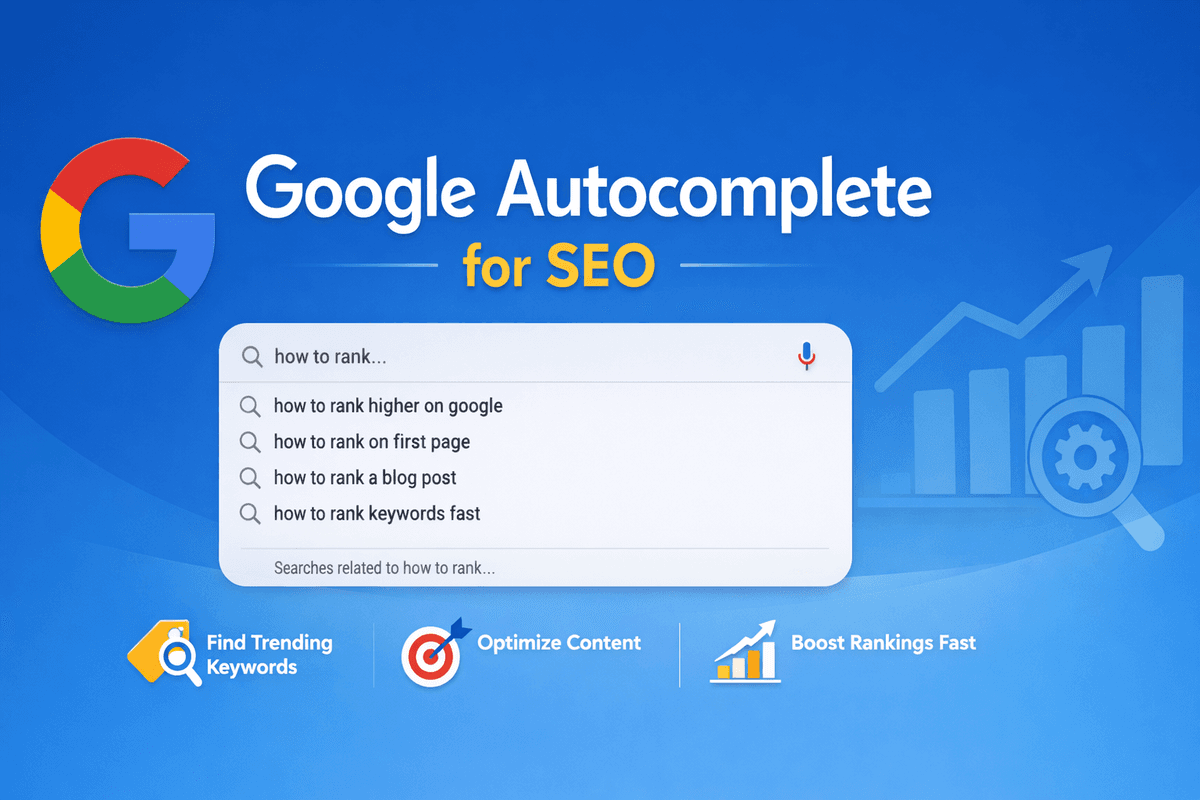
Google Autocomplete for SEO: The Ultimate Guide to Finding High-Ranking Keywords (2026)
Published: 2026-03-25 11:12:43
In today’s competitive digital world, ranking on Google is not just about writing content it’s about understanding what users are actually searching. One of the most powerful and free tools for this is Google Autocomplete for SEO.
If you’ve ever typed something into Google and seen suggestions appear instantly, that’s Google Autocomplete in action. But for SEO experts, bloggers, and digital marketers, this feature is a goldmine of real user search data.
In this guide, you’ll learn how to use Google Autocomplete, along with tools like Google Search Console, Google Keyword Planner, Google Trends, and Semrush, to find high-ranking keywords and dominate search results.
Learn more about the Digital Marketing Course here: https://www.codewithtls.com/courses/digital-marketing
Call Us
91 85278 66980
Speak directly with our experts and get all your queries resolved instantly.
What is Google Autocomplete in SEO?
Google Autocomplete in SEO is a smart search feature that predicts what users are likely to type next based on real search behavior. As you type in the Google search bar, it instantly shows suggestions powered by real-time data, user intent, trending searches, and past search patterns.
These suggestions are not random; they reflect what people are actively searching on Google right now, making them extremely valuable for keyword research and content planning.
Example:
When you type:
“digital marketing course in…”
Google may suggest:
- digital marketing course in delhi
- digital marketing course in delhi with placement
- digital marketing course in delhi fees
These suggestions are known as Google autocomplete predictions, and they reveal exactly what your target audience is searching for.
For SEO, this means you can:
- Discover high-intent keywords
- Find long-tail keyword opportunities
- Create content that matches real user queries
- Improve your chances of ranking higher on Google
In simple terms, Google Autocomplete is a free and powerful SEO tool hidden in plain sight helping you understand user intent and create content that people are already looking for.
Learn the key differences in Software Development vs Digital Marketing in India here: https://www.codewithtls.com/blogs/software-development-vs-digital-marketing-in-india
How Does Google Autocomplete This Search?
A common question people ask is: “How does Google autocomplete this search?”
The answer lies in Google’s powerful algorithm, which analyzes massive amounts of real-time data to predict what users are likely to type next. These predictions are designed to make searching faster, smarter, and more relevant.
Key Factors Behind Google Autocomplete Predictions:
- Popular Search Queries: Frequently searched terms appear more often in suggestions
- Location (Local SEO Impact): Results change based on your city or region (e.g., Delhi, NCR)
- Trending Topics: Current news and viral searches influence suggestions instantly
- User Search History: Personalized results based on past searches (if enabled)
- Fresh & Relevant Content: Recently updated or high-performing content gets priority
- Discover the best digital marketing courses in Delhi here: https://www.codewithtls.com/blogs/best-digital-marketing-courses-in-delhi
Why This Matters for SEO
Because these factors are constantly changing, Google autocomplete predictions update frequently sometimes even within hours.
This makes them extremely valuable for SEO because:
- You get real-time keyword ideas
- You can identify trending search intent early
- You can create content before competitors catch on
In short, Google Autocomplete acts like a live window into what people are searching right now, helping you create highly relevant and rank-worthy content.
Email Us
info@codewithtls.com
Send us your questions and our team will get back to you with complete details.
Why Google Autocomplete is Important for SEO
When it comes to smart keyword research, Google Autocomplete for SEO is one of the most powerful tools you can use without spending a single rupee.
By simply typing a query into Google, you unlock real-time insights into what your audience is actively searching for. This makes your SEO strategy more accurate, targeted, and effective.
Benefits of Using Google Autocomplete SEO Strategy:
- ✔ Find real keywords users are searching (not guesswork)
- ✔ Discover long-tail keywords with lower competition
- ✔ Understand user intent behind every search
- ✔ Generate blog and content ideas instantly
- ✔ Improve your chances of ranking higher on Google
Learn what digital marketing is here: https://www.codewithtls.com/blogs/what-is-digital-marketing
Why It’s a Game-Changer
Unlike many paid tools that rely on estimated data, Google Autocomplete for SEO free provides suggestions directly from Google’s live search database.
This means:
- You get accurate, real-time keyword ideas
- You can spot trending topics early
- You create content that matches exact user demand
In simple words, Google Autocomplete turns your SEO strategy from guessing into data-driven decision making, helping you rank faster and smarter.
How to Use Google Autocomplete for SEO
If you want to find high-ranking keywords without any paid tools, Google Autocomplete is your best friend. Here’s how you can use it strategically to boost your SEO
Step 1: Start Typing Your Main Keyword
Go to Google and type your primary keyword:
“Google autocomplete for SEO”
Instantly, you’ll see suggestions like:
- Google autocomplete example
- Google autocomplete predictions
- Google autocomplete settings
- Google autocomplete api
These are not random—they are real search queries from users, making them perfect SEO keyword opportunities for your content.
- Discover the digital marketing course for beginners in Delhi here: https://www.codewithtls.com/blogs/digital-marketing-course-for-beginners-in-delhi
Step 2: Use the Alphabet Method (Pro Trick)
Now take it a step further.
Type:
“Google autocomplete for SEO a”
“Google autocomplete for SEO b”
This method helps you uncover hidden long-tail keywords that most beginners miss.
For example, you might discover:
- Google autocomplete for SEO tools
- Google autocomplete for SEO analysis
This expands your keyword list and gives you more content ideas with less competition.
Learn more about HubSpot digital marketing certification here: https://www.codewithtls.com/blogs/hubspot-digital-marketing-certification
Step 3: Target Question-Based Queries
Google often suggests questions like:
- How does Google autocomplete this search
- What is Google Autocomplete in SEO
- How do I use Google Autocomplete
These are gold for SEO because:
- They match user intent perfectly
- They help you rank in Featured Snippets
- They improve your chances in voice search results
Pro Tip
Combine all three steps to:
- Build SEO-friendly blog topics
- Create FAQ sections that rank
- Target long-tail keywords with high conversion potential
In simple terms, Google Autocomplete helps you think like your audience, so you can create content that ranks faster and drives real traffic.
- Discover the advanced digital marketing courses in Delhi here: https://www.codewithtls.com/blogs/advanced-digital-marketing-courses-in-delhi
Google Autocomplete Example (Real Use Case)
Let’s understand this with a practical SEO example from the digital marketing niche.
Imagine you type in Google:
“digital marketing course in delhi”
Within seconds, Google Autocomplete suggests:
- digital marketing course in delhi near me
- digital marketing course in delhi with fees
- best digital marketing course in delhi
These are powerful Google autocomplete predictions, based on real user searches and high intent.
Explore the Generative AI certification course here: https://www.codewithtls.com/blogs/generative-ai-certification-course
How to Use These Keywords Smartly
You can turn these suggestions into high-ranking content like:
- Blog Titles:
Best Digital Marketing Course in Delhi with Fees & Placement (2026 Guide) - Landing Pages:
Digital Marketing Course in Delhi Near Me – Join Today - Meta Titles & Descriptions:
Optimize using keywords like “best digital marketing course in delhi”
Why This Works
These keywords are:
- ✔ Already being searched by real users
- ✔ Highly targeted and intent-driven
- ✔ Easier to rank compared to broad keywords
By using Google Autocomplete this way, you’re not guessing you’re building content based on actual demand, which significantly increases your chances of ranking and conversions.
Google Autocomplete Predictions & Their Power
Google autocomplete predictions are driven by real-time search behavior, meaning they reflect what people are actively looking for right now, not outdated or estimated data.
What This Means for SEO
- ✔ High-demand keywords: You’re targeting topics people are currently searching
- ✔ Low competition (early-stage trends): Get in before the market becomes crowded
- ✔ Better ranking opportunities: Less competition = faster visibility
- Learn the fundamentals of basic digital marketing here: https://www.codewithtls.com/blogs/basic-digital-marketing
The Real Power
These predictions often highlight emerging trends before they appear in traditional SEO tools.
If you create content early around these keywords, you can:
- Rank faster
- Capture traffic before competitors
- Build authority in your niche
In short, Google Autocomplete gives you a first-mover advantage in SEO, helping you stay ahead of trends instead of chasing them.
Learn more about the digital marketing course here: https://www.codewithtls.com/blogs/learn-digital-marketing-course
Google Autocomplete API (Advanced SEO)
For those who want to take keyword research to the next level, the Google Autocomplete API offers a powerful, data-driven approach. It allows developers and SEO professionals to extract autocomplete suggestions programmatically, saving time and scaling research efforts.
Key Use Cases
- ✔ Keyword scraping: Collect large sets of real search queries directly from Google
- ✔ Bulk keyword research: Generate hundreds of long-tail keywords in minutes
- ✔ SEO automation: Build tools, dashboards, or workflows for continuous keyword discovery
Why It Matters
Instead of manually typing queries, the API lets you tap into Google’s live search data at scale, making your SEO strategy faster, smarter, and more efficient.
This is especially useful for:
- SEO agencies managing multiple clients
- Content teams producing large volumes of articles
- Advanced marketers looking for a competitive edge
In short, the Google Autocomplete API transforms manual keyword research into a scalable, automated SEO system.
Discover the best digital marketing course near Delhi here: https://www.codewithtls.com/blogs/best-digital-marketing-course-near-delhi
Google Autocomplete Settings
Many users are unaware that Google Autocomplete settings can be customized to control how search suggestions appear. While these settings don’t change overall trends, they can influence the personalization of results you see.
What You Can Control
- ✔ Turn predictions ON/OFF: Enable or disable autocomplete suggestions in search
- ✔ Control personalized suggestions: Decide whether Google uses your past activity to refine results
- ✔ Manage search history: View, delete, or pause your search history for more neutral results
Why It Matters for SEO
Although these settings may slightly alter individual suggestions, the core Google autocomplete predictions are still based on broader user behavior and trending searches.
For SEO professionals, this means:
- You can test keywords in a non-personalized environment
- You get a clearer view of general search trends
- Your keyword research remains reliable and data-driven
In short, understanding Google Autocomplete settings helps you perform more accurate and unbiased SEO research.
Learn the benefits of a digital marketing career in 2026 here: https://www.codewithtls.com/blogs/benefits-of-a-digital-marketing-career-in-2026
Google Autocomplete Game (Fun SEO Insight)
The Google Autocomplete Game is a fun and interactive way to explore how search suggestions work in real time. The idea is simple: players try to guess how Google will complete a search query based on popular searches.
But beyond entertainment, it offers surprising value for SEO.
Why It Matters for SEO
- ✔ Understand user thinking: You start recognizing how people naturally phrase their searches
- ✔ Boost keyword creativity: Discover unique and unexpected keyword ideas
- ✔ Train your SEO mindset: Sharpen your ability to predict search intent and content angles
The Hidden Benefit
By playing the game, you begin to think like your audience. This helps you create content that aligns with real search behavior, not just assumptions.
In simple terms, the Google Autocomplete Game turns keyword research into a skill-building exercise, making your SEO strategy more intuitive, creative, and effective.
Learn more about the certificate course in digital marketing here: https://www.codewithtls.com/blogs/certificate-course-in-digital-marketing
Google Autocomplete Design & UX
The Google Autocomplete design may look simple, but it’s one of the most powerful user experience (UX) features ever built. It’s designed to deliver instant, relevant suggestions while keeping the interface clean and distraction-free.
Key UX Features
- Instant suggestions: Results appear in real time as you type
- Clean interface: Minimal design keeps the focus on search intent
- Mobile-friendly: Seamless experience across all devices
- Fast loading: No delays, ensuring a smooth search journey
Why This Matters
This thoughtful UX design is built to save time, reduce effort, and guide users toward the most relevant searches.
For SEO professionals, this means:
- You can quickly identify popular and trending queries
- Understand how users interact with search
- Create content that matches Google’s search behavior patterns
In short, Google Autocomplete’s design isn’t just about looks it’s engineered to improve search efficiency while revealing valuable SEO insights.
- Learn about the 3‑month digital marketing course in Delhi here: https://www.codewithtls.com/blogs/3-month-digital-marketing-course-in-delhi
Google Autocomplete App
There are various tools and browser extensions often referred to as Google Autocomplete apps that enhance and automate your keyword research process. Instead of manually typing queries, these tools help you extract and organize suggestions more efficiently.
What These Tools Can Do
- ✔ Generate keyword lists instantly from autocomplete suggestions
- ✔ Automate keyword discovery at scale
- ✔ Save time while researching content ideas and SEO strategies
These tools are especially useful for content creators, bloggers, and digital marketers who want to speed up their workflow and uncover more keyword opportunities.
Check out the digital marketing course in Delhi complete guide here: https://www.codewithtls.com/blogs/digital-marketing-course-in-delhi-complete-guide
Combine Google Autocomplete with Other SEO Tools
To get the best results, don’t rely on just one method. Combine Google Autocomplete for SEO with other powerful tools to build a complete strategy.
1. Google Search Console
- Shows real search queries users used to find your site
- Helps you optimize existing pages for better rankings
2. Google Keyword Planner
- Provides search volume and keyword data
- Useful for both SEO and PPC campaigns
3. Google Trends
- Shows trending and rising searches
- Helps you identify viral and seasonal topics
4. Semrush
- Offers advanced keyword analysis
- Helps with competitor research
- Shows keyword difficulty and ranking potential
Discover the digital marketing course in Nirman Vihar here: https://www.codewithtls.com/blogs/digital-marketing-course-in-nirman-vihar
Google Autocomplete SEO Strategy (Pro Level)
If you want to turn simple keyword ideas into high-ranking SEO content, follow this proven step-by-step strategy using Google Autocomplete and supporting tools
Step-by-Step SEO Strategy
Step 1: Find Keywords Using Google Autocomplete
Start by typing your main topic into Google.
👉 Note down all autocomplete suggestions—these are real user searches and your primary keyword ideas.
Step 2: Expand with Long-Tail Variations
Use methods like:
- Alphabet method (a, b, c…)
- Adding modifiers (near me, with fees, best, etc.)
👉 This helps you uncover low-competition, high-intent long-tail keywords.
Step 3: Validate with Google Keyword Planner
Check:
- Search volume
- Competition level
👉 This ensures you’re targeting keywords that actually have demand.
Discover the digital marketing institute in Laxmi Nagar here: https://www.codewithtls.com/blogs/digital-marketing-institute-in-laxmi-nagar
Step 4: Check Trends with Google Trends
Analyze whether the keyword is:
- Trending upward 📈
- Seasonal or stable
👉 Focus on keywords with growing interest for better long-term traffic.
Step 5: Analyze Competition with Semrush
Study:
- Top-ranking pages
- Keyword difficulty
- Competitor strategies
👉 This helps you understand how hard it is to rank and how to beat competitors.
Step 6: Publish Optimized Content
Now create content that includes:
- Target keyword in title, headings, and meta tags
- Long-tail keywords naturally in the content
- FAQ section for featured snippets
👉 Make your content user-focused, informative, and SEO-friendly
Benefits of Using Google Autocomplete for SEO
When used strategically, Google Autocomplete for SEO can completely transform the way you do keyword research and content planning.
Key Benefits
- ✔ Free keyword research: No cost, no tools—just real data directly from Google
- ✔ Real-time insights: Discover what users are searching right now
- ✔ Long-tail keyword discovery: Find specific, low-competition keywords that are easier to rank
- ✔ Better content ideas: Generate blog topics that match actual user intent
- ✔ Higher ranking potential: Target the right keywords and improve your chances of ranking faster
In short, it helps you move from guessing keywords to creating content based on real demand.
Common Mistakes to Avoid
Even though Google Autocomplete is powerful, using it incorrectly can limit your results. Here are some mistakes to watch out for:
- Ignoring long-tail keywords: These are easier to rank and often bring better conversions
- Keyword stuffing: Overusing keywords can harm readability and SEO rankings
- Not validating keywords: Always cross-check with tools like Google Keyword Planner or Trends
- Not updating content: Trends change—keep your content fresh and relevant
FAQs
How do I use Google Autocomplete?
To use Google Autocomplete, simply start typing a keyword in the Google search bar. The suggestions that appear are real user search queries, which you can use for keyword research and content creation.
How do I turn on Google Autocomplete?
Google Autocomplete is usually enabled by default. You can check or manage it in your Google settings under search preferences.
What is Google Autocomplete in SEO?
Google Autocomplete in SEO is a feature that provides keyword suggestions based on real user searches, helping marketers find high-ranking keywords.
How does Google Auto Fill work?
Google Auto Fill works by analyzing popular searches, user behavior, and trends to predict what a user is typing and suggest relevant queries instantly.
Final Thoughts
If you are serious about SEO, then Google autocomplete for SEO should be part of your daily strategy. It’s simple, powerful, and completely free.
When combined with tools like Google Search Console, Google Keyword Planner, Google Trends, and Semrush, it becomes one of the most effective keyword research methods available today.
Learn SEO & Digital Marketing with Experts
Want to master SEO, keyword research, and tools like Google Autocomplete?
Join Code With TLS – Best Digital Marketing Institute in Delhi and learn practical skills that help you rank websites and grow online businesses.
📞 Call Us
📧 Email Us
📍 Visit Us
2/81-82, Ground Floor, Lalita Park, Gali No - 2, Laxmi Nagar, New Delhi - 110092